
Leather flap bag pattern — custom dimensions
Leather flap bag pattern: parameters, parts list, and SVG and DXF examples. Change the dimensions in the VLOTHO CAD configurator and export your own patterns.
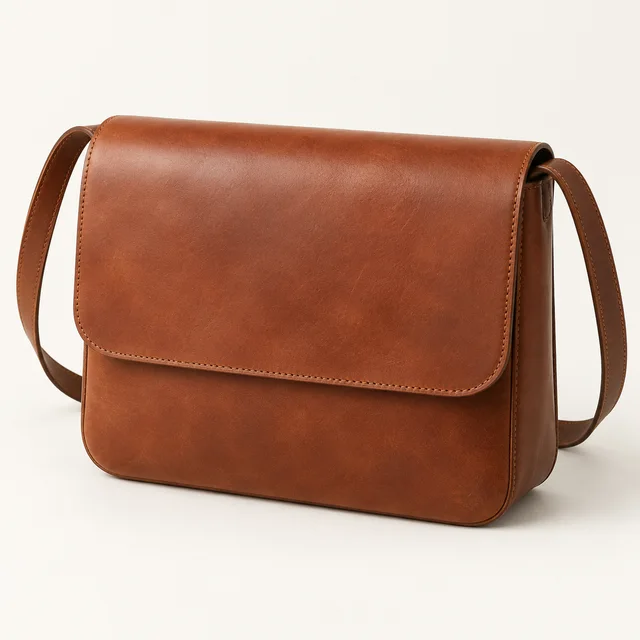
Two panels, a side strip, flap, and shoulder strap form the basic bag construction. Width, height, depth, rounding, and strap dimensions can be changed.
Open this example in the designerThe example opens with the dimensions specified below. Its changes are saved separately from your regular work. You can return to it using the link in the editor.
Example source parameters
Linear dimensions are given in millimeters. Parameter names match the designer fields; these are the initial settings and can be changed.
| Parameter | Value |
|---|---|
| Width | 280 |
| Height | 210 |
| Depth | 85 |
| Corner radius | 30 |
| Flap drop | 140 |
| Strap length | 650 |
| Strap width | 22 |
| Thickness | 1.8 |
| Seam allowance | 6 |
Parts in this example
The dimensions below are derived from the geometric model. The parts list changes with the parameters and enabled options.
| Piece | Size, mm |
|---|---|
| Front wall | 280.0 × 210.0 |
| Back panel | 280.0 × 210.0 |
| Side panel and bottom | 674.2 × 85.0 |
| Flap | 280.0 × 249.0 |
| Strap | 650.0 × 22.0 |
How the size changes the pattern piece
Calculation example: the width parameter was changed from 280 to 308 mm. The diagram shows the Front panel before and after recalculation at the same scale.
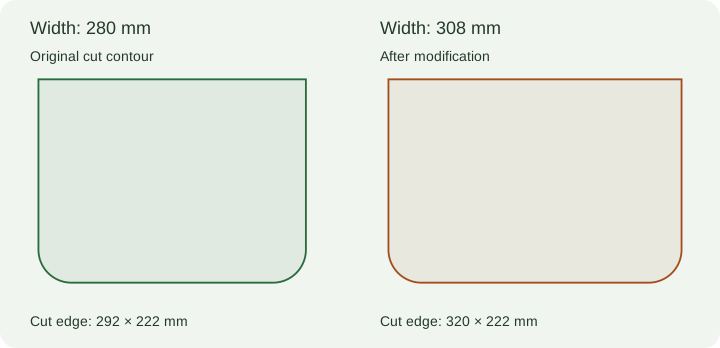
You can also download the modified JSON project. After modification, check the assembly on a mockup.
Download the pattern example
The files were generated using the standard VLOTHO CAD export from the parameters specified above. They show the model geometry and do not replace checking the product in the material.
PDF A4, 15 sheetsPDF patterns, 1:1SVG patterns, 1:1DXF patterns, mmJSON project
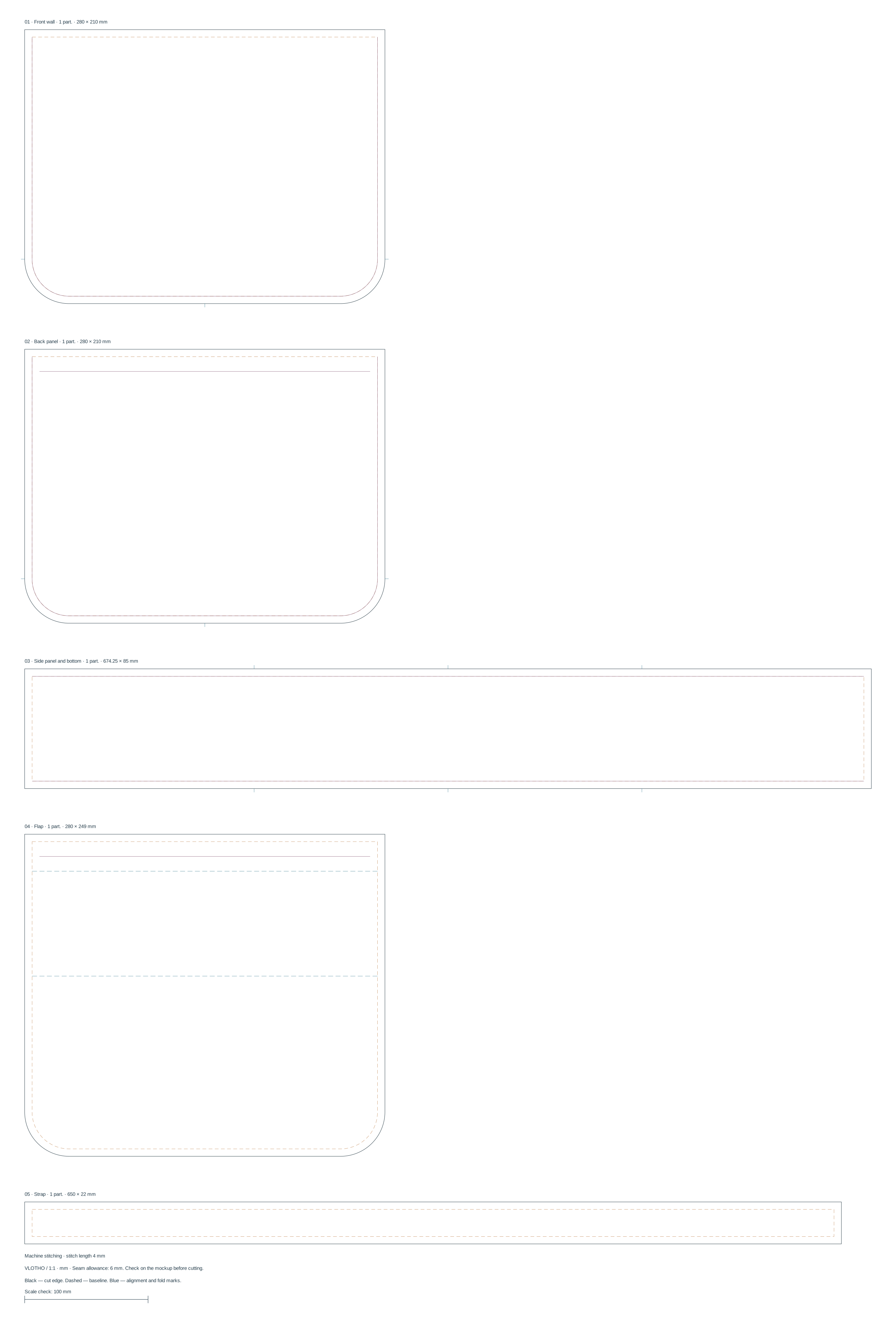
PDF A4 automatically selects portrait or landscape pages and rotates the pieces to reduce the number of sheets. For assembly, a 10 mm overlap, numbers, and alignment marks are provided. The standard PDF contains one piece per page. Both variants include a 100 mm test segment. For your own dimensions, modify the project and export a new PDF. How to print patterns at 1:1 scale.
What to check before cutting
Check the side strip length against the adjoining panel edges. On the mock-up, check the flap position and strap attachment method; holes for the selected hardware require a separate check.
VLOTHO CAD builds a geometric prototype. Allowances for bending, skiving, assembly thickness, and construction methods are determined by your material. Start with a paper mockup and a trial piece.
How to get a pattern for your dimensions
- Open the model and set the dimensions in millimeters. To reproduce the tabular example, first load its JSON.
- Check the parts list and enabled options. Adjust the seam and dimensions for your material.
- Save the project and export a new pattern set. After changing the dimensions, the previous files no longer correspond to the project.
Dimension reference for this model: Baseline. Dimensions in the parts table and the outer cut contour may differ due to the seam allowance. How to check seam allowances and stitching lines.
Questions about this construction
Can the bag depth be changed while keeping the width and height?
Yes. Depth is set as a separate parameter. After changing it, check the side strip, bottom, and joins, then download the new pattern set.
Are fasteners and holes for any closure included?
No. The specific closure and strap attachment require checking against the dimensions of the selected hardware. The basic example does not confirm compatibility with all options.
File preparation
Printing patterns on A4 at 1:1 scale · DXF units and layers before cutting
Next step
Construction and export instructions · Manual contour editing · All models